Best Robot and AI Toys for 8-Year-Olds
Robot and AI-style toy picks for 8-year-olds who love interactive tech and problem-solving.
Snapshot
| Toy | Age | Price | Best for | Link |
|---|---|---|---|---|
| #1 Teach Tech Mech-5 Mechanical Coding Robot | 8+ | CAD $45–$70 | Screen-free mechanical coding with visible command buttons | Check Price |
| #2 Makeblock Codey Rocky | 6+ | CAD $170–$230 | Beginner robotics and block-based coding | Check Price |
| #3 Educational Insights Artie 3000 The Coding Robot | 7+ | CAD $60–$80 | Drawing-based robot coding with block and text pathways | Check Price |
| #4 National Geographic Epic Circuits Science Kit | 8+ | CAD $55–$85 | Electronics experiments without repeating Snap Circuits again | Check Price |
Affiliate links. Prices can change.
At eight, robot toys can become real STEM projects if setup does not swamp the first win.
The right toy can lower friction, support regulation, and make day-to-day life noticeably easier.
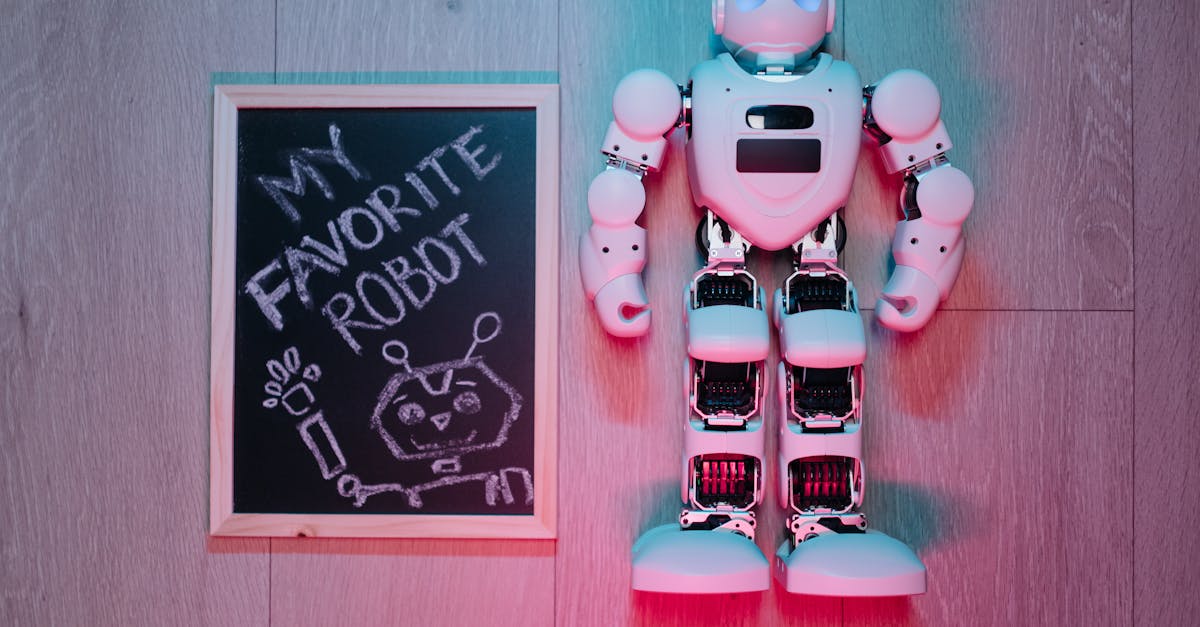
Teach Tech Mech-5 Mechanical Coding Robot
Reliable engagement, low setup friction, and strong replay value for real family routines.
This guide focuses on toys that are practical, repeatable, and useful beyond the first week.
Eight is a useful age for robot toys because many kids can now handle a short build, a simple command sequence, or a block-based coding path without needing an adult to do every step. The danger is buying too much robot. A feature-heavy companion or app-connected kit may look more impressive, but it can turn into parent homework if the first session requires accounts, updates, calibration, tiny screws, or a long instruction booklet.
The best robot toy for an 8-year-old gives a quick first win and then leaves room for a harder second session. Look for visible cause and effect: press a command, change a path, draw a route, build a mechanism, or test a circuit. If your child is newer to robotics, also compare the simpler options in Best First Robot Toys for Curious Kids. If they already love robot play and want more personality, Best AI Toys for Kids Who Love Robots is the better next step.
What to Look For
- Fast entry. If setup is complicated, attention disappears.
- Clear feedback. Kids stay engaged when they can see progress quickly.
- Replay value. Good toys survive past the novelty spike.
- Regulation support. The best toys help kids recover, not just stay busy.
Our Top 6 Picks
Screen-free mechanical coding with visible command buttons
Pros
- ✓ No app required
- ✓ Mechanical coding is easy to explain
- ✓ More unusual than standard coding robots
Cons
- ✗ Build setup required
- ✗ Not ideal for impatient kids
- ✗ Mechanical actions are limited
Makeblock Codey Rocky
Beginner robotics and block-based coding
Pros
- ✓ Real coding pathway
- ✓ Strong classroom reputation
- ✓ Good STEM progression
Cons
- ✗ Higher price point
- ✗ Needs setup help for younger kids
- ✗ Not ideal for quick casual play
Drawing-based robot coding with block and text pathways
Pros
- ✓ Real coding payoff
- ✓ Creative drawing output
- ✓ Multiple coding modes
Cons
- ✗ Needs a device
- ✗ Older beginner fit
- ✗ Requires paper and marker setup
Electronics experiments without repeating Snap Circuits again
Pros
- ✓ Fresh circuits angle
- ✓ 40+ experiments
- ✓ Good science gift positioning
Cons
- ✗ Needs organization
- ✗ May require adult help early
- ✗ Less open-ended than LEGO-style builds
Screen-free coding for young beginners
Pros
- ✓ No screen required
- ✓ Fast feedback
- ✓ Great for beginners
Cons
- ✗ Higher price
- ✗ Can need setup help
- ✗ Small parts
Expressive interactive robot play and social-emotional engagement
Pros
- ✓ High engagement factor
- ✓ Expressive reactions
- ✓ Strong novelty for smart-toy category
Cons
- ✗ Expensive for a companion toy
- ✗ Lower direct coding depth
- ✗ Can become novelty-only for some kids
Why These Picks Made the List
Teach Tech Mech-5 Mechanical Coding Robot
Teach Tech Mech-5 Mechanical Coding Robot is here for screen-free mechanical coding with visible command buttons. The useful part is no app required and mechanical coding is easy to explain, not just that it looks good in a gift guide.
Before buying, watch for build setup required and not ideal for impatient kids. That is the difference between a toy that gets used and a toy that becomes shelf clutter.
Makeblock Codey Rocky
Makeblock Codey Rocky is here for beginner robotics and block-based coding. The useful part is real coding pathway and strong classroom reputation, not just that it looks good in a gift guide.
Before buying, watch for higher price point and needs setup help for younger kids. That is the difference between a toy that gets used and a toy that becomes shelf clutter.
Educational Insights Artie 3000 The Coding Robot
Educational Insights Artie 3000 The Coding Robot is here for drawing-based robot coding with block and text pathways. The useful part is real coding payoff and creative drawing output, not just that it looks good in a gift guide.
Before buying, watch for needs a device and older beginner fit. That is the difference between a toy that gets used and a toy that becomes shelf clutter.
National Geographic Epic Circuits Science Kit
National Geographic Epic Circuits Science Kit is here for electronics experiments without repeating snap circuits again. The useful part is fresh circuits angle and 40+ experiments, not just that it looks good in a gift guide.
Before buying, watch for needs organization and may require adult help early. That is the difference between a toy that gets used and a toy that becomes shelf clutter.
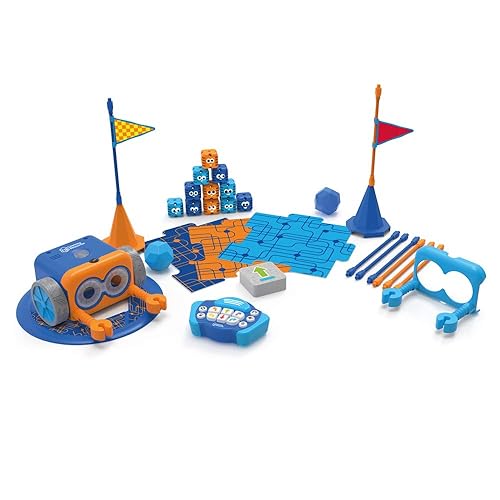
Botley 2.0 by Learning Resources
Botley 2.0 by Learning Resources is here for screen-free coding for young beginners. The useful part is no screen required and fast feedback, not just that it looks good in a gift guide.
Before buying, watch for higher price and can need setup help. That is the difference between a toy that gets used and a toy that becomes shelf clutter.
Eilik Interactive Robot Companion
Eilik Interactive Robot Companion is here for expressive interactive robot play and social-emotional engagement. The useful part is high engagement factor and expressive reactions, not just that it looks good in a gift guide.
Before buying, watch for expensive for a companion toy and lower direct coding depth. That is the difference between a toy that gets used and a toy that becomes shelf clutter.
Which Robot Style Fits an 8-Year-Old?
Choose a mechanical robot when your child likes building and wants to see how commands become movement. Choose a block-coding robot when they are ready for a real coding pathway and you can help with the device setup. Choose a drawing robot when creative output matters more than driving a bot around the floor. Choose an interactive companion only when the goal is engagement and personality, not deep STEM progression.
For many families, the best robot toy is the one that does not need to be used every day. A weekly robot session with a clear challenge can be more valuable than an expensive smart toy that becomes background noise. Put the robot away between sessions, keep the parts together, and give the child one mission at a time: make it turn, draw a square, avoid an obstacle, or explain what changed after a command.
If the child is easily discouraged, make the first mission almost too easy. Let them see one command work before adding a second step. If the child loves tinkering, move faster into prediction: “What do you think will happen if we swap these two commands?” That question is where the STEM value shows up. The robot is only the prop; the learning comes from noticing a result, changing one variable, and trying again.
Also be honest about screens. A screen-free robot can be calmer and easier to share, but a well-designed app robot may offer better long-term coding depth. The right choice depends on your house. If tablets create arguments, choose Mech-5 or Botley-style play. If your child already uses a device responsibly for Scratch, Minecraft coding, or school assignments, Codey Rocky or Artie can be worth the setup friction.
Want better toy picks without the research rabbit hole?
Short, practical recommendations by age, need, and budget.
Practical Setup Tips
1) Keep only 3 to 5 toys visible
Fewer options usually means deeper play and less overwhelm.
2) Use short play blocks
Try 15 to 25 minute sessions with a clear start and finish.
3) Pair movement with focus toys
A quick movement break before table play improves transitions.
4) Rotate weekly
Rotation keeps engagement high without constant new purchases.
FAQ
Are these toys only for kids with a diagnosis?
No. These picks can help many kids who need better focus, calmer transitions, or lower stimulation play.
How many toys should we use at one time?
Start with 3 to 5 active options. Too much visual choice can reduce sustained attention.
What if my child gets bored quickly?
Use short sessions, rotate weekly, and focus on toys with immediate feedback and open-ended replay.
Related reads
If You Can Only Buy One
Teach Tech Mech-5 Mechanical Coding Robot.
It gives the best balance of calm engagement, flexibility, and long-term replay for most households.
Want better toy picks without the research rabbit hole?
Get concise recommendations by age, need, and budget.
Where to go next
By age
Best Homework Break Toys for 8-Year-Olds
Keep the recommendations age-appropriate for your kid’s stage.
By need
Gifts for Neurodivergent Kids: A Parent's Guide (2026)
Jump to picks focused on ADHD, sensory, and regulation support.
By budget
Best Gifts for Kids Under $25 (2026)
Compare strong options in lower price brackets before you buy.
Related Articles
Sphero indi vs Code & Go Robot Mouse for First Robots
A beginner robot comparison for families choosing between tile-based and maze-based robot play.
Read more →
Best First Robot Toys for Curious Kids
Beginner robot toys for kids who like cause-and-effect, simple commands, and playful problem solving.
Read more →
Robot Factory vs Code & Go Robot Mouse for Younger Kids
A parent-friendly comparison between story-led robot building and simple sequencing play.
Read more →