Best Robot Toys for Kids (That Actually Teach Something) (2026)
8 robot toys that go beyond gimmicks. Real coding, real engineering, real learning. For kids ages 4-14.
Most "robot toys" are remote-controlled cars with a plastic face glued on. They're fun for twenty minutes, then they're junk.
Botley 2.0
Screen-free programmable robot that grows with your child. Simple enough at 5, still challenging at 10.
The robots on this list are different. They teach coding, engineering, or problem-solving. They respond to what your kid programs them to do, not just what a remote tells them. That's the line between a toy and a tool.
What to Look For
- Programmable, not just remote-controlled. If your kid isn't making decisions about what the robot does, it's just a fancy RC car.
- Age-appropriate coding. Preschoolers need button sequences. Older kids need block coding or real languages.
- Growth potential. The best robots support multiple skill levels so your kid doesn't outgrow it in three months.
- Build quality. Robots take a beating. Cheap ones break on the first drop.
Our Top Picks
Botley 2.0 by Learning Resources
Best for: Young kids learning coding logic without screens
Pros
- ✓ 100% screen-free coding
- ✓ Teaches sequences, loops, and if/then logic
- ✓ Hidden features kids discover over time
Cons
- ✗ Remote programmer is a bit clunky
- ✗ Limited ceiling for older kids
- ✗ Accessories feel cheap
Botley is the entry point. No apps, no screens, no WiFi. Kids program it with a handheld remote by entering a sequence of arrow commands. It sounds simple but it teaches the same logic foundations as Scratch: sequences, loops, conditionals. The "screen-free" angle also makes it a much easier sell to screen-cautious parents.
LEGO SPIKE Essential
Best for: LEGO fans ready for motorized, coded builds
Pros
- ✓ It's LEGO (instant buy-in from most kids)
- ✓ Scratch-based coding app
- ✓ Multiple build options with motors and sensors
Cons
- ✗ Expensive
- ✗ App required
- ✗ Originally designed for classrooms, not home
If your kid already loves LEGO, this is the natural next step. Build with LEGO bricks, add a motor and sensor, then program it with Scratch. The builds are simpler than Mindstorms (which is good for this age range) but still genuinely programmable. It bridges the gap between building and coding naturally.
Makeblock mBot2
Best for: First real coding robot at a reasonable price
Pros
- ✓ Scratch and Python support
- ✓ Built-in display, sensors, and speaker
- ✓ Assembly teaches basic engineering
Cons
- ✗ Assembly takes about an hour
- ✗ App can be glitchy
- ✗ Instructions could be clearer
The best value coding robot. It ships as a kit (about an hour to assemble, which is part of the learning). Once built, kids program it with Scratch blocks or actual Python. The onboard CyberPi display means it can run programs without being tethered to a computer. Line following, obstacle avoidance, and sound-responsive behaviours are all standard.
Sphero BOLT
Best for: Kids who learn through play, not projects
Pros
- ✓ Programmable LED matrix inside a ball
- ✓ JavaScript and Swift support
- ✓ Multi-robot play mode
Cons
- ✗ Needs smooth, flat surfaces
- ✗ App-dependent
- ✗ Rolls under furniture constantly
A transparent ball with a programmable LED matrix inside. Kids code it to roll, draw, flash patterns, and play games. Three programming languages (Scratch, JavaScript, Swift) mean serious growth potential. It doesn't look like a "learning toy," which is an advantage for kids who resist anything that feels like school.
LEGO Mindstorms Robot Inventor
Best for: Serious young builders ready for advanced robotics
Pros
- ✓ 5 robot builds in one set
- ✓ Real Python programming
- ✓ Motors, distance sensor, colour sensor, 900+ pieces
Cons
- ✗ $300 is a lot
- ✗ Complex builds need patience
- ✗ App required for all coding
The most advanced consumer robot kit for kids. 900+ LEGO pieces, multiple motors, sensors, and five different robot builds. The Scratch interface works for beginners, but the real power is Python support. A motivated 10-year-old can write actual code that controls a physical robot. This is the closest thing to a junior engineering education in a box.
Cubetto by Primo Toys
Best for: Preschoolers (youngest intro to coding concepts)
Pros
- ✓ No screen, no reading required
- ✓ Tangible coding blocks (hand-on-board)
- ✓ Beautiful Montessori-style design
Cons
- ✗ Very expensive for the age range
- ✗ Limited complexity
- ✗ Kids outgrow it by 7
The youngest-appropriate coding toy on this list. Kids place physical blocks on a wooden board to program a small wooden robot to move on a map. No screens, no reading, no letters, no numbers. Pure logic through shapes and colours. It's beautifully made, Montessori-inspired, and genuinely teaches sequencing to 3-year-olds. The price is steep for what it is, but nothing else targets this age.
Dash Robot by Wonder Workshop
Best for: Social, playful kids who want a robot companion
Pros
- ✓ Personality-driven (responds to voice and claps)
- ✓ Multiple companion apps with challenges
- ✓ Accessories available (launcher, xylophone)
Cons
- ✗ Proprietary ecosystem
- ✗ Accessories sold separately
- ✗ Battery life could be better
Dash has more personality than any other robot on this list. It reacts to sounds, navigates around objects, and responds to voice commands. The coding apps range from simple (Blockly) to advanced (Swift Playgrounds). Accessories like a ball launcher and xylophone give it physical capabilities beyond movement. Kids treat it like a pet that they program.
Ozobot Evo
Best for: Kids who like art and coding together
Pros
- ✓ Codes with drawn lines and colours (unique)
- ✓ Also supports block coding via OzoBlockly
- ✓ Tiny and portable
Cons
- ✗ Very small (easy to lose or step on)
- ✗ Colour codes require precise drawing
- ✗ Fragile
The most creative robot on this list. Ozobot follows lines drawn on paper and changes behaviour based on colour sequences. Draw a red-green-red pattern and it spins. Draw blue-blue-red and it goes fast. Kids are literally programming with markers. For digital coding, OzoBlockly provides a full block-coding interface. It's the only robot here that works equally well on paper and on screen.
Buying Guide
By age
Ages 3-5: Cubetto (if budget allows) or Botley 2.0 (more affordable). Both are screen-free and require zero reading.
Ages 6-9: Botley 2.0, Dash, LEGO SPIKE Essential, or Ozobot Evo. All use visual coding that doesn't require typing.
Ages 10-14: mBot2, Sphero BOLT, or LEGO Mindstorms. These support real programming languages and won't be outgrown quickly.
Screen-free vs. app-based
Screen-free: Botley, Cubetto. All coding happens physically.
App-based: Everything else on this list. If screen time is a concern, Botley and Cubetto are your only options.
Solo vs. social play
Best solo: mBot2, LEGO Mindstorms (building and coding are focused activities).
Best social: Dash (personality invites group play), Sphero BOLT (multi-robot mode), Ozobot (collaborative line drawing).
Related guides: coding toys that teach programming | AI-powered toys
FAQ
At what age should kids start with coding robots?
Three, if you choose the right tool (Cubetto). Most kids are ready for basic sequencing by age 4-5. By 8, they can handle block-based coding. By 10-11, text-based coding (Python, JavaScript) is realistic.
Will a coding robot replace screen time?
For some play sessions, yes. Botley and Cubetto are completely screen-free. App-based robots still involve screens, but the screen time is active (creating, problem-solving) rather than passive (watching). That's a meaningful difference.
Are expensive robots worth it?
The $80-150 range gives the best value. Below $50, quality drops fast. Above $200, you're paying for features most kids won't fully use unless they're very motivated. LEGO Mindstorms at $300 is worth it only for kids who are genuinely passionate about building and coding.
What if my kid isn't interested in coding?
Start with Dash (personality and play come first, coding is optional) or Ozobot (art and drawing first, coding second). Some kids need the "fun" door before they'll walk through the "learning" door.
If You Can Only Buy One
Under 8: Botley 2.0. Screen-free, durable, teaches real logic, $80.
8 and up: Makeblock mBot2. Best balance of price, coding depth, build quality, and growth potential. Scratch for now, Python when they're ready. $150.
Affiliate Disclosure: Smart Toy Guide is a participant in the Amazon Services LLC Associates Program. When you buy through our links, we may earn a small commission at no extra cost to you. This helps us keep the site running and continue creating free content. Read our full disclosure.
Related Articles
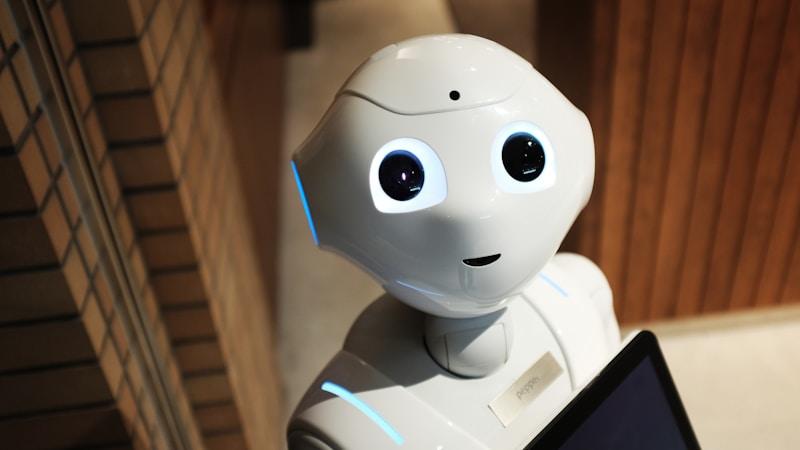
AI Toys for Kids: The Best Smart Toys in 2026
8 AI-powered toys that actually teach something. Voice assistants, adaptive learning, and interactive robots worth the money.
Read more →
Best Educational Gadgets for Kids in 2026
8 tech gadgets that actually teach kids something. Not glorified toys. Real tools for learning coding, science, music, and more.
Read more →
Best Building Toys for Kids (Beyond LEGO) (2026)
10 building toys that aren't LEGO but are just as good. Magnetic, wooden, engineering, and construction sets for ages 3-12.
Read more →