Best Beginner Smart Toys for 9-Year-Olds
Beginner-friendly smart toys for 9-year-olds with clear learning curves and replay value.
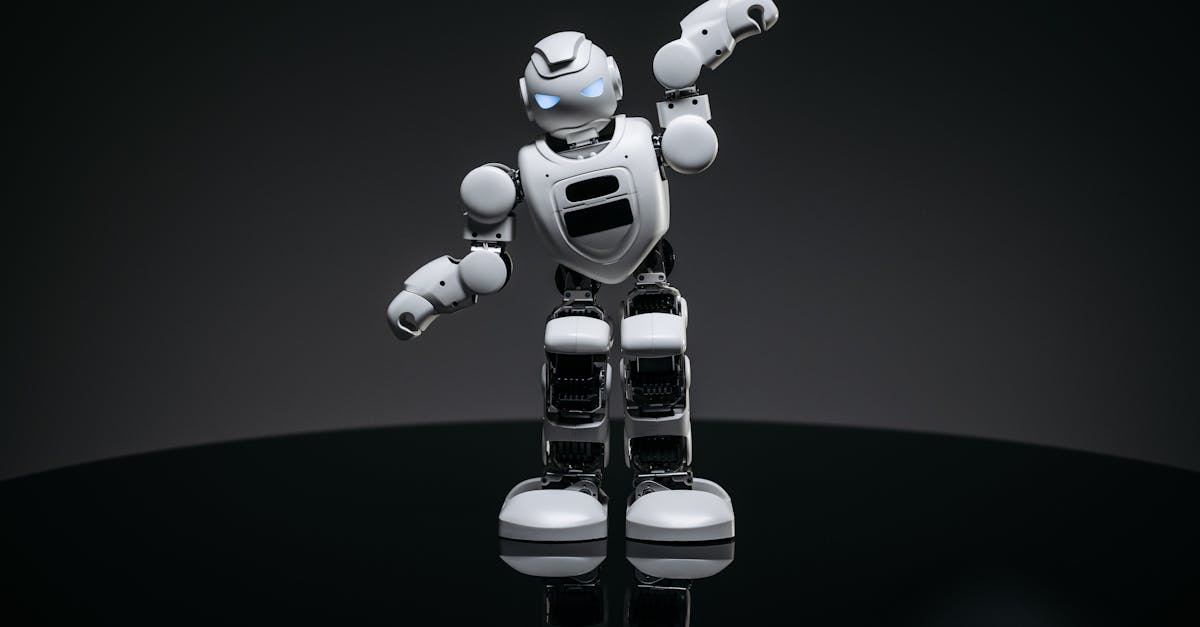
Snapshot
| Toy | Age | Price | Best for | Link |
|---|---|---|---|---|
| #1 Makeblock Codey Rocky | 6+ | CAD $170–$230 | Beginner robotics and block-based coding | Check Price |
| #2 Teach Tech Mech-5 Mechanical Coding Robot | 8+ | CAD $45–$70 | Screen-free mechanical coding with visible command buttons | Check Price |
| #3 Educational Insights Artie 3000 The Coding Robot | 7+ | CAD $60–$80 | Drawing-based robot coding with block and text pathways | Check Price |
| #4 National Geographic Epic Circuits Science Kit | 8+ | CAD $55–$85 | Electronics experiments without repeating Snap Circuits again | Check Price |
Affiliate links. Prices can change.
Nine-year-olds are old enough to notice when a "smart" toy is just a blinking gadget, but they still need a friendly way in. The best beginner smart toys for this age give them a quick first win, then leave room for debugging, experimenting, rebuilding, and trying a slightly harder challenge the next day.
That balance matters. A toy can be technically impressive and still fail at home if the app setup is annoying, the instructions feel like homework, or the first session depends on an adult doing every step. For most families, the better buy is not the most advanced robot. It is the one a 9-year-old can return to independently after the first guided setup.
Makeblock Codey Rocky
Reliable engagement, low setup friction, and strong replay value for real family routines.
This guide focuses on practical beginner smart toys that can work after school, on weekends, or during a quiet reset block without becoming another project for the parent.
What to Look For
- Fast entry. If setup is complicated, attention disappears before the learning begins.
- Clear feedback. Kids stay engaged when they can see what changed after each command.
- Replay value. Good smart toys survive past the novelty spike because there is another level, build, path, or puzzle to try.
- Beginner forgiveness. A 9-year-old should be able to make mistakes, reset, and try again without the whole session collapsing.
- Real skill growth. Look for sequencing, spatial reasoning, cause-and-effect testing, or early coding logic, not just remote-control play.
Our Top 6 Picks
Makeblock Codey Rocky
Beginner robotics and block-based coding
Pros
- ✓ Real coding pathway
- ✓ Strong classroom reputation
- ✓ Good STEM progression
Cons
- ✗ Higher price point
- ✗ Needs setup help for younger kids
- ✗ Not ideal for quick casual play
Screen-free mechanical coding with visible command buttons
Pros
- ✓ No app required
- ✓ Mechanical coding is easy to explain
- ✓ More unusual than standard coding robots
Cons
- ✗ Build setup required
- ✗ Not ideal for impatient kids
- ✗ Mechanical actions are limited
Drawing-based robot coding with block and text pathways
Pros
- ✓ Real coding payoff
- ✓ Creative drawing output
- ✓ Multiple coding modes
Cons
- ✗ Needs a device
- ✗ Older beginner fit
- ✗ Requires paper and marker setup
Electronics experiments without repeating Snap Circuits again
Pros
- ✓ Fresh circuits angle
- ✓ 40+ experiments
- ✓ Good science gift positioning
Cons
- ✗ Needs organization
- ✗ May require adult help early
- ✗ Less open-ended than LEGO-style builds
ThinkFun Laser Maze
Light-bending logic and spatial reasoning puzzles
Pros
- ✓ Distinct science hook
- ✓ Compact challenge cards
- ✓ Strong older-kid puzzle value
Cons
- ✗ Button batteries
- ✗ Mostly solo play
- ✗ Too hard for younger beginners
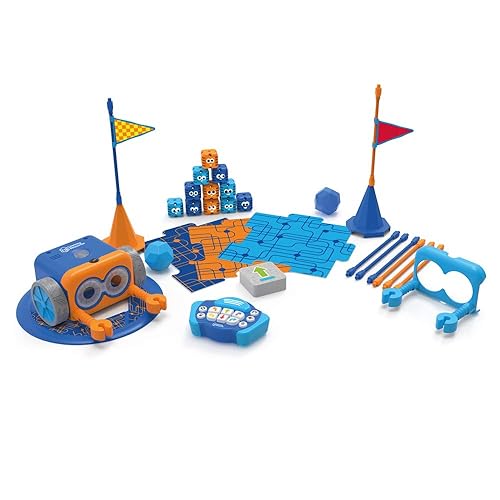
Screen-free coding for young beginners
Pros
- ✓ No screen required
- ✓ Fast feedback
- ✓ Great for beginners
Cons
- ✗ Higher price
- ✗ Can need setup help
- ✗ Small parts
How to Choose for a 9-Year-Old Beginner
Start with the kind of friction your child handles best. Some 9-year-olds love a device-based coding screen because they can drag blocks, test commands, and see a robot respond. Others shut down when a tablet appears and do better with a mechanical or screen-free toy where the code is visible on the table.
If your child is cautious, choose the toy with the clearest first success. Botley 2.0, Mech-5, and Rush Hour-style logic toys work well when a kid needs to see the whole problem space. If your child is already curious about programming, Codey Rocky or Artie 3000 offers a better runway because the first projects can stay simple while later projects become more expressive.
Also think about supervision. A toy that needs a parent for the first 20 minutes is not a bad toy; it just needs to be treated like a setup session, not a surprise right before dinner. For a lower-parent-involvement option, look at screen-free coding and puzzle choices. For a richer learning path, accept a bit more setup and pick a robot with a clearer progression.
Why These Picks Made the List
Makeblock Codey Rocky
Makeblock Codey Rocky is the best fit here for a 9-year-old who is ready for real beginner coding but still needs the experience to feel playful. The value is not just that it moves; it gives kids a reason to test a sequence, change a command, and notice what happened.
Before buying, watch the price and the setup curve. This is a stronger choice when an adult can help with the first session and then step back as the child repeats familiar projects.
Teach Tech Mech-5 Mechanical Coding Robot
Teach Tech Mech-5 is the pick for families who want coding logic without turning the session into tablet time. Because the commands are mechanical and visible, it is easier to talk through prediction, sequence, and cause-and-effect.
The tradeoff is patience. There is a build-and-understand stage before the fun really lands. If your child likes assembling and figuring out how things work, that is a strength. If they want instant action, choose something faster to start.
Educational Insights Artie 3000 The Coding Robot
Artie 3000 is useful for a 9-year-old who likes the idea of a robot but needs a creative payoff. Drawing gives coding a visible result, which can make loops, angles, and small adjustments feel less abstract.
The catch is that it needs a device plus paper-and-marker setup. It is best for a table where a little mess and a little troubleshooting are acceptable.
National Geographic Epic Circuits Science Kit
The Epic Circuits kit belongs here because not every beginner smart toy needs to be a robot. Circuit experiments can teach the same test-and-revise habit: make a connection, see what happens, then change one variable.
Choose it for a child who likes hands-on science and can tolerate parts management. Skip it if you need a toy that packs away in ten seconds.
ThinkFun Laser Maze
ThinkFun Laser Maze is a compact way to practise spatial reasoning, prediction, and step-by-step debugging. It has a smart-toy feel because the light feedback makes success obvious, but it avoids app setup and large builds.
It is mostly a solo challenge, so it is better for quiet focus than sibling collaboration. It can be excellent for a 15-minute reset when a screen would be too much.
Botley 2.0 by Learning Resources
Botley 2.0 skews younger than some 9-year-olds, but it still earns a place for true beginners, younger siblings, and kids who need a very low-pressure coding start. The no-screen design makes the feedback loop easy to understand.
For a 9-year-old who already codes or builds confidently, it may feel too simple. For a child who is new to sequencing, it can be the right first step before moving to deeper coding toys.
Want better toy picks without the research rabbit hole?
Short, practical recommendations by age, need, and budget.
Practical Setup Tips
1) Make the first session small
Do not start with the hardest project. Pick one beginner challenge, model how to test one change, then let your child repeat the loop.
2) Keep only one smart toy visible
Smart toys often come with pieces, chargers, cards, or instructions. One visible option usually creates deeper play than a shelf full of half-started kits.
3) Use a "predict, test, change" routine
Before pressing go, ask: "What do you think will happen?" After it runs, ask: "What is one thing we could change?" That turns play into real problem-solving without sounding like school.
4) Separate setup from play
Charge batteries, install apps, or sort cards before the child is waiting. Beginner smart toys feel much better when the first five minutes are successful.
FAQ
Are beginner smart toys worth it for 9-year-olds?
Yes, if the toy gives the child control over what happens next. Remote-control-only toys can be fun, but the stronger learning value comes from sequencing, building, testing, debugging, or solving logic challenges.
Should I choose a screen-free coding toy or an app-based robot?
Choose screen-free if your child needs lower stimulation, simpler routines, or less adult tech support. Choose app-based if they enjoy tinkering, can handle a bit of setup, and would benefit from a longer coding pathway.
What if my child gets bored quickly?
Use shorter sessions and set one concrete challenge: make the robot turn around a chair, draw a square, solve one card, or build one circuit. Boredom often drops when the goal is specific and achievable.
Related reads
- AI Toys for Kids
- Educational Gadgets for Kids
- Best Robot Toys for Kids
- Best Smart Toys for Kids New to Coding
- Mech-5 vs Botley for Screen-Free Coding
If You Can Only Buy One
Makeblock Codey Rocky.
It gives the best balance of beginner access, real coding progression, and long-term replay for most 9-year-olds who are ready for their first serious smart toy.
Want better toy picks without the research rabbit hole?
Get concise recommendations by age, need, and budget.
Where to go next
By age
Best Homework Break Toys for 9-Year-Olds
Keep the recommendations age-appropriate for your kid’s stage.
By need
Gifts for Neurodivergent Kids: A Parent's Guide (2026)
Jump to picks focused on ADHD, sensory, and regulation support.
By budget
Best Gifts for Kids Under $25 (2026)
Compare strong options in lower price brackets before you buy.
Related Articles
Sphero indi vs Code & Go Robot Mouse for First Robots
A beginner robot comparison for families choosing between tile-based and maze-based robot play.
Read more →
Best First Robot Toys for Curious Kids
Beginner robot toys for kids who like cause-and-effect, simple commands, and playful problem solving.
Read more →
Robot Factory vs Code & Go Robot Mouse for Younger Kids
A parent-friendly comparison between story-led robot building and simple sequencing play.
Read more →