Mech-5 vs Botley: Which Screen-Free Coding Toy Fits Better?
Compare a mechanical coding robot with a beginner-friendly programmable robot for kids.
Snapshot
| Toy | Age | Price | Best for | Link |
|---|---|---|---|---|
| Teach Tech Mech-5 Mechanical Coding Robot | 8+ | CAD $45–$70 | Screen-free mechanical coding with visible command buttons | Check Price |
| Botley 2.0 by Learning Resources | 5+ | CAD $85–$110 | Screen-free coding for young beginners | Check Price |
Affiliate links. Prices can change.
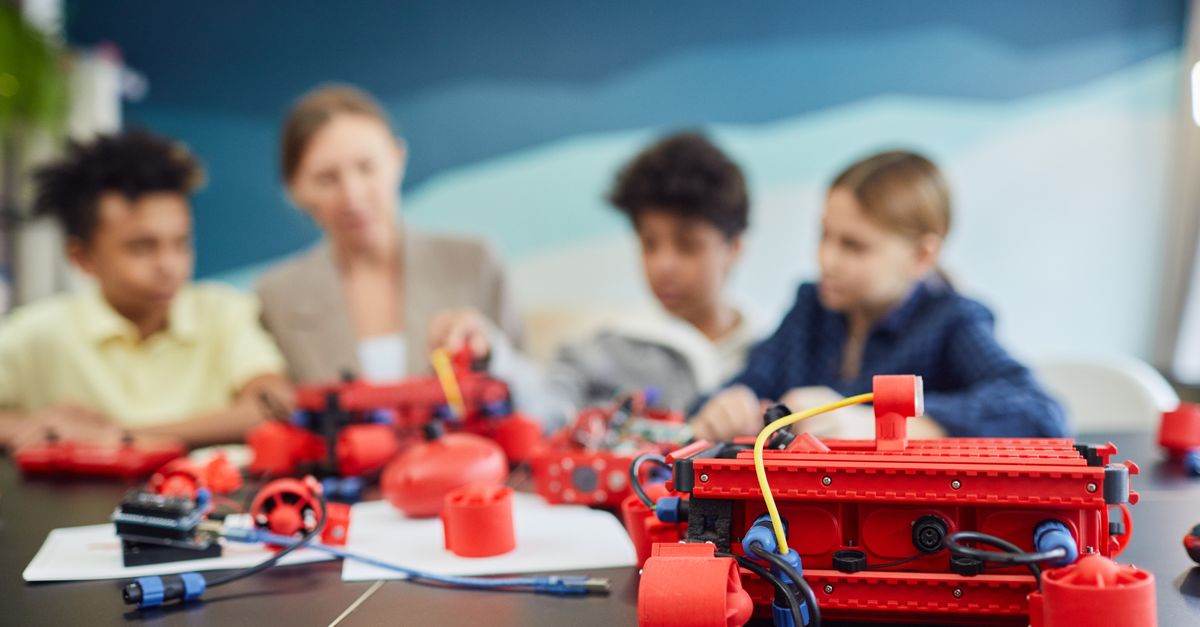
Teach Tech Mech-5 and Botley 2.0 both avoid app-first coding, but they are not interchangeable. Mech-5 is a build-and-code robot where the coding feels mechanical and visible. Botley is a ready-to-play beginner robot where commands turn into movement quickly.
That difference matters because “screen-free coding toy” can mean two very different things. Some kids want to build the robot and understand how commands make a machine move. Other kids want a fast first win: press the buttons, send the robot across the floor, and see the sequence happen.
This is a two-toy comparison. The goal is not to list every nearby coding toy; it is to make the better choice between these two.
These belong together because both are screen-free coding robot options with visible command sequences, beginner logic practice, and overlapping STEM gift intent. The tradeoff is mechanical build depth versus younger-kid accessibility.
Quick Answer
- Choose Teach Tech Mech-5 Mechanical Coding Robot if your child likes building, mechanisms, and seeing how a robot works.
- Choose Botley 2.0 by Learning Resources if your child is younger, newer to coding, or needs a faster first success.
- Choose Mech-5 for an older child who enjoys assembly and patient tinkering.
- Choose Botley for lower-friction sequencing practice without a screen.
Comparison Table
| Decision point | Teach Tech Mech-5 Mechanical Coding Robot | Botley 2.0 by Learning Resources |
|---|---|---|
| Best fit | Older kids who like building and mechanisms | Younger beginners who need fast feedback |
| Learning style | Mechanical coding, sequencing, cause and effect | Directional commands, loops of trial and correction |
| First-session feel | Build first, then test movement | Start coding movement much faster |
| Setup friction | Higher because assembly is part of the toy | Lower, though pieces and accessories still need care |
| Parent involvement | More useful during build and troubleshooting | Helpful for first challenges, then often independent |
| Best long-term use | Tinkering with a visible mechanical system | Repeated short coding challenges and obstacle courses |
The Two Picks
Screen-free mechanical coding with visible command buttons
Pros
- ✓ No app required
- ✓ Mechanical coding is easy to explain
- ✓ More unusual than standard coding robots
Cons
- ✗ Build setup required
- ✗ Not ideal for impatient kids
- ✗ Mechanical actions are limited
Screen-free coding for young beginners
Pros
- ✓ No screen required
- ✓ Fast feedback
- ✓ Great for beginners
Cons
- ✗ Higher price
- ✗ Can need setup help
- ✗ Small parts
What Makes These Toys Different
Mech-5 is for kids who are interested in the robot as a machine. The build is part of the learning. The child sees that coding is not only a digital thing; it can be a physical sequence that changes how a mechanism behaves. That makes it more unusual than many beginner coding robots.
The tradeoff is patience. A child who wants to press a button and instantly see a robot move may bounce off Mech-5 before the best part begins. It is better for a child who likes models, gears, construction kits, or taking time to understand how something works.
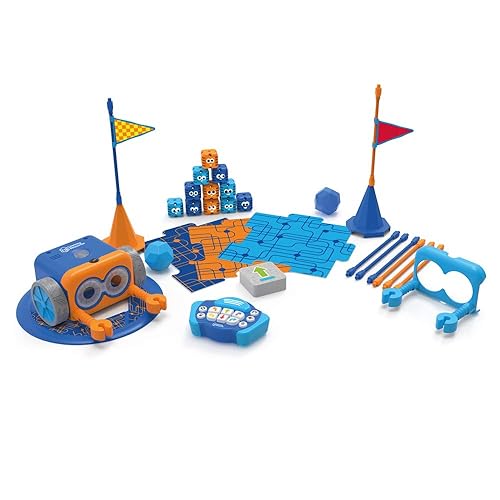
Botley is for kids who need coding to feel immediate. The robot is more accessible because the feedback loop is fast: enter a sequence, run it, watch where Botley goes, adjust the command, try again. That is real early coding logic without asking the child to use a tablet or read a programming language.
The practical difference is build depth versus first-session ease. Mech-5 says, “Build and understand the robot.” Botley says, “Program the robot and see what happens.”
Setup and Parent Involvement
Mech-5 needs more adult awareness at the start. The build setup is not a flaw; it is part of the value. But if the child is young, tired, or easily discouraged, the assembly phase can feel like a barrier. It works best when the parent frames the build as the first mission rather than the boring part before play begins.
Once built, Mech-5 still has limits. Mechanical actions are not as flexible as a programmable robot with many modes. The toy is most satisfying when the child appreciates the physical coding concept, not when they expect endless behaviours.
Botley needs less setup, but not zero. You still need floor space, obstacle pieces or household objects, batteries, and a parent who can help the child think in steps. The good news is that a child can usually see the point quickly. If Botley misses the target, the child can change a command and test again.
For a busy weeknight, Botley is the easier toy to start. For a weekend build with an older child, Mech-5 is more distinctive.
Which One Builds Better Coding Thinking?
Botley is usually better for first coding concepts. It teaches sequencing, direction, debugging, and prediction in a very visible way. Kids learn that commands happen in order. They also learn that “wrong” is useful information: if the robot turns too early, the sequence needs changing.
That is a strong match for children who are new to coding, especially around kindergarten to early elementary age. It gives them the core idea without a screen, keyboard, or reading-heavy interface.
Mech-5 is better for connecting coding to mechanical cause and effect. It can help an older child understand that instructions can control a machine, not just a character on a screen. The learning is more concrete and unusual, but it may be narrower once the build novelty fades.
If your goal is beginner coding fluency, Botley has the edge. If your goal is mechanical STEM curiosity, Mech-5 is the more interesting pick.
Frustration Risk
Mech-5 frustration usually comes from setup and expectation. If a child expects a polished interactive robot, the mechanical limits may disappoint them. If they understand that the fun is in building and seeing commands act through the mechanism, the toy lands better.
The fix is to match Mech-5 with the right child. Choose it for kids who already like hands-on builds and can tolerate a slower path to success. Avoid it as a first coding toy for a child who gets upset when assembly takes time.
Botley frustration usually comes from command mistakes. A child may press too many steps, forget which direction the robot is facing, or feel annoyed when it misses the goal. That is exactly where coding learning happens, but younger kids may need a parent to keep the challenge small.
A useful first Botley game is simple: make the robot move forward to a toy, then back to you. Add turns only after the child has had a few easy wins.
Age Fit
Mech-5 is the better fit for many 8+ kids who like construction and mechanisms. It is not just about chronological age; it is about temperament. A patient 8-year-old builder may love it. A less patient 10-year-old who wants fast robot action may not.
Botley is better for younger beginners because it meets them where they are. The commands are physical, the robot moves in the real world, and the child does not have to read long instructions before coding something.
For a 5- or 6-year-old, Botley is the safer first choice. For an older child who already owns a beginner robot and wants something more mechanical, Mech-5 makes more sense.
Replay Value Over Time
Mech-5 has replay value when the child cares about the machine. It may come back out for demonstrations, tinkering, or showing someone how mechanical coding works. But it is not the best toy for endless new challenges unless the child invents them.
Botley has better everyday replay because families can create obstacle courses, target missions, mazes, and quick coding challenges. It can live in short sessions: five minutes before dinner, a weekend course on the floor, or a sibling challenge where one child designs the route and the other programs it.
The risk with Botley is price and small pieces. If your child loses accessories or only plays once, it is an expensive miss. If they enjoy repeated challenges, it earns its keep better than most beginner robots.
Storage and Floor Space
Mech-5 needs safe storage after the build. Treat it more like a model or robot project than a dump-bin toy. If pieces get stressed or lost, the mechanical appeal drops.
Botley needs floor space and a small container for accessories. It is easier to use on a clear floor than a crowded tabletop. If you have pets, younger siblings, or a cluttered playroom, store the pieces together and set up one simple coding lane at a time.
Where to Go Next
If Botley sounds right but you want other beginner options, read alternatives to Botley for beginner coding kids. For a broader starter list, see smart toys for kids new to coding. If you are comparing coding with electronics, read Botley vs Snap Circuits for kids.
Related articles: alternatives to Botley | smart toys for kids new to coding | Botley vs Snap Circuits
Final Recommendation
Start with Botley 2.0 if your child is new to coding, younger than 8, or needs quick screen-free feedback. It is the safer first coding robot and the better everyday practice toy.
Choose Teach Tech Mech-5 if your child is older, patient, and interested in building a physical robot. It is less instantly accessible, but it gives a more unusual mechanical coding experience.
FAQ
Which one is easier to start with?
Botley 2.0 is easier to start because kids can program movement quickly. Mech-5 requires build setup first, which is valuable for the right child but frustrating for impatient beginners.
Which one has more long-term depth?
Botley has better repeat-use depth for coding challenges and obstacle courses. Mech-5 has depth for mechanical curiosity, but its actions are more limited after the build.
Which one is better for a 5-year-old?
Botley is the better fit for most 5-year-olds. Mech-5 is usually better for older children who can handle assembly and understand that the build is part of the toy.
Which one is more screen-free?
Both are screen-free. Botley is screen-free because commands are entered with a physical remote. Mech-5 is screen-free because the coding is mechanical and visible in the robot itself.
Should I buy both?
Not at first. Choose Botley for beginner coding practice. Choose Mech-5 for mechanical STEM building. Add the other later only if your child clearly enjoys both coding challenges and hands-on construction.
Want better toy picks without the research rabbit hole?
Get concise recommendations by age, need, and budget.
Where to go next
By age
Best Toys for 4-Year-Olds (Learning Through Play) (2026)
Keep the recommendations age-appropriate for your kid’s stage.
By need
Gifts for Neurodivergent Kids: A Parent's Guide (2026)
Jump to picks focused on ADHD, sensory, and regulation support.
By budget
Best Gifts for Kids Under $25 (2026)
Compare strong options in lower price brackets before you buy.
Related Articles

Sphero indi vs Code & Go Robot Mouse for First Robots
A beginner robot comparison for families choosing between tile-based and maze-based robot play.
Read more →
Best First Robot Toys for Curious Kids
Beginner robot toys for kids who like cause-and-effect, simple commands, and playful problem solving.
Read more →
Robot Factory vs Code & Go Robot Mouse for Younger Kids
A parent-friendly comparison between story-led robot building and simple sequencing play.
Read more →