Best Coding Toys That Don't Need a Screen (2026)
7 screen-free coding toys that teach programming logic through play. Robots, board games, and hands-on kits for ages 3-12.
Snapshot
| Toy | Age | Price | Best for | Link |
|---|---|---|---|---|
| Botley 2.0 Coding Robot | 5+ | CAD $45–$70 | First coding robot. Great balance of simplicity and depth | Check Price |
| Code & Go Robot Mouse | 4+ | CAD $25–$45 | Youngest coders (preschool), intro to sequencing | Check Price |
| Cubetto Playset | 3+ | CAD $230–$310 | Montessori-style learning, preschool classrooms | Check Price |
| LEGO Education SPIKE Essential | 6+ | CAD $700–$750 | LEGO fans who want to build and code, classroom use | Check Price |
Affiliate links. Prices can change.
Your kid doesn't need another app. They need something they can touch, build, and figure out with their hands.
Botley 2.0
Screen-free coding with a real physical robot. Perfect entry point for ages 5+ with genuine programming logic.
The best coding toys teach computational thinking (sequencing, loops, conditionals, debugging) without a single screen. Kids learn to think like programmers while playing on the floor, not hunched over a tablet.
Here are our top picks for screen-free coding toys in 2026, tested and reviewed for real learning value.
Who This Is For
- Parents who want learning-focused toys with strong replay value.
- Kids curious about logic, building, or beginner coding.
- Buyers balancing education outcomes with budget.
Who Should Skip This List
- Families looking for purely imaginative, non-structured play.
- Kids currently overwhelmed by multi-step setup toys.
- Buyers expecting instant mastery from one toy purchase.
Why Screen-Free Coding?
Kids get plenty of screen time already. Screen-free coding toys offer something different:
- Tactile learning. Physical buttons, blocks, and robots engage different parts of the brain than touchscreens.
- Spatial reasoning. Programming a robot to navigate a room teaches geometry and spatial thinking naturally.
- Frustration tolerance. When your robot drives into a wall, you debug and try again. No undo button.
- Social play. Many of these toys work great for two or more kids collaborating.
Our Top Picks
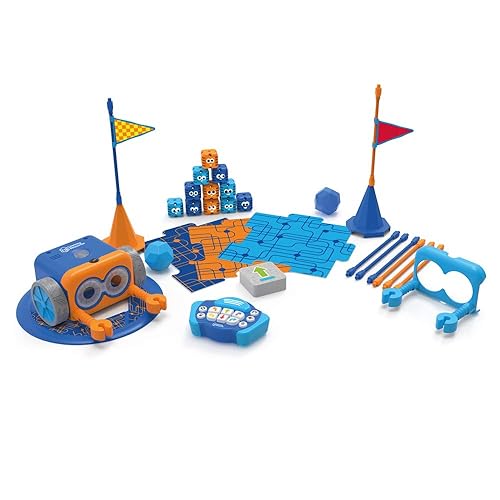
First coding robot. Great balance of simplicity and depth
Pros
- ✓ 100% screen-free
- ✓ Teaches sequences, loops, and if/then logic
- ✓ Comes with activity set and coding cards
- ✓ Durable, survives drops
Cons
- ✗ Coding cards can get lost
- ✗ Limited expansion options
Botley 2.0 is our top pick for a reason. No app needed, no screen required. Kids program Botley using a remote control: press arrows to create sequences, then hit go and watch Botley follow the path. It starts simple (move forward, turn) and scales up to loops and if/then logic. The activity set includes obstacle courses and hidden object challenges. This is where most kids should start.
Youngest coders (preschool), intro to sequencing
Pros
- ✓ Very intuitive for young kids
- ✓ Cute design kids love
- ✓ Includes maze boards and cheese wedge goal
Cons
- ✗ Limited complexity, kids outgrow it
- ✗ Only 40-step memory
Colby the Robot Mouse is perfect for 4-5 year olds just getting started. Kids press colored buttons on the mouse's back (forward, back, left, right) to program a sequence, then watch Colby navigate a cheese-themed maze. It's simple, adorable, and teaches the fundamental concept: giving a machine a set of instructions and seeing what happens.
Montessori-style learning, preschool classrooms
Pros
- ✓ Works from age 3, one of the youngest coding toys
- ✓ Beautiful wooden design
- ✓ No screen, no reading required
- ✓ Teaches functions and subroutines
Cons
- ✗ Expensive
- ✗ Limited expansion without additional map packs
Cubetto is the gold standard for early childhood coding. It's a wooden robot that kids program by placing colored blocks into a physical coding board. Each color represents a direction. The Montessori-inspired design is beautiful, and the tactile blocks make abstract concepts concrete. It's expensive, but for classrooms, homeschool families, or anyone who wants the absolute best for a 3-4 year old, it's unmatched.
LEGO fans who want to build and code, classroom use
Pros
- ✓ It's LEGO, so kids are instantly on board
- ✓ Combines building with real coding
- ✓ Excellent curriculum support
- ✓ Motors, sensors, and hub included
Cons
- ✗ Expensive
- ✗ Requires the SPIKE app (tablet/computer)
- ✗ Complex setup for young kids
Note: This one does use a screen for the coding interface, but the building and engineering are entirely hands-on. We're including it because the physical building component is substantial and the coding is secondary to the construction. LEGO fans aged 6+ will spend hours building robots, vehicles, and contraptions, then programming them to move and respond to sensors. The curriculum materials are outstanding.
Kids who like puzzles and games, blend of physical and digital
Pros
- ✓ Physical coding blocks + screen feedback
- ✓ Multiple coding games included
- ✓ Progressive difficulty
- ✓ Beautiful design
Cons
- ✗ Requires iPad or Fire tablet
- ✗ Base unit needed separately if you don't have one
Osmo bridges physical and digital in a clever way. Kids arrange physical coding blocks on the table, and the Osmo camera reads them and executes the code on screen. It feels more like a board game than an app. The coding games range from simple sequencing (Awbie) to music composition (Jam) to advanced problem-solving (Coding Duo). If you already have an iPad, this is excellent value.
Family game night, non-tech households, budget pick
Pros
- ✓ No batteries, no screens, no tech
- ✓ Teaches coding concepts through a board game
- ✓ Parents play too, great for bonding
- ✓ Incredibly affordable
Cons
- ✗ Limited replayability once concepts are mastered
- ✗ An adult needs to play as the 'computer'
Robot Turtles is a board game that teaches programming without any technology at all. Kids play cards to move their turtle through a maze while a parent acts as the "computer," executing the instructions exactly as given. When the turtle hits a wall, the kid learns debugging. It's brilliant in its simplicity, and at $20, it's the most accessible coding toy on this list.
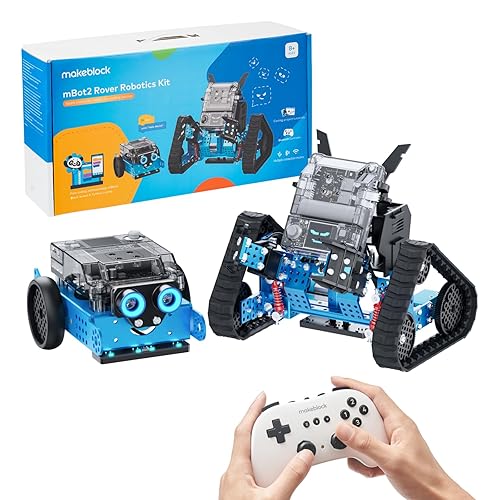
Older kids ready for real robotics and block-based coding
Pros
- ✓ Teaches real engineering concepts
- ✓ Scratch-based coding with progression to Python
- ✓ Multiple sensors (ultrasonic, light, gyroscope)
- ✓ Can be expanded with add-on packs
Cons
- ✗ Complex assembly
- ✗ Requires tablet or computer
- ✗ Steep learning curve for younger kids
For kids 8+ who want the real thing, the mBot2 delivers. Kids assemble the robot themselves (learning basic engineering), then program it using Scratch-style blocks that can transition to Python. It has sensors for obstacle avoidance, line following, and light detection. This is the toy that turns casual interest into genuine STEM enthusiasm. Not a starter toy. A grower.
How to Choose the Right One
- Ages 3-4: Cubetto or Robot Mouse. Keep it simple, tactile, and screen-free.
- Ages 5-6: Botley 2.0 is the sweet spot. Osmo if you have an iPad.
- Ages 7-8: Robot Turtles for non-techy families. SPIKE for LEGO lovers.
- Ages 9+: mBot2 for serious interest. Otherwise, they might be ready for actual coding platforms.
Want better toy picks without the research rabbit hole?
Short, practical recommendations by age, need, and budget.
FAQ
What age should kids start learning to code?
Kids can start learning coding concepts as young as 3-4 with tools like Cubetto or Robot Mouse. At this age, they're not writing code. They're learning sequencing, cause-and-effect, and problem-solving. These are the foundations that make actual coding easier later.
Do coding toys actually teach programming?
They teach computational thinking: the logic behind programming. Sequencing, loops, conditionals, debugging, and functions are all concepts kids learn through these toys. They won't write Python after playing with Botley, but they'll understand why a loop exists when they encounter one later.
Are screen-free coding toys better than coding apps?
Neither is inherently better. They're different tools. Screen-free toys offer tactile, spatial learning that apps can't replicate. Apps offer more complexity and immediate feedback. For younger kids (under 7), we lean toward screen-free. For older kids, a mix of both works well.
The Bottom Line
The best coding toy is the one your kid will actually play with. Start with their interests. If they love animals, the Robot Mouse wins. If they love building, LEGO SPIKE. If you want pure simplicity, Botley 2.0.
Don't overthink it. The goal isn't to create a programmer. It's to teach a way of thinking that will serve them no matter what they end up doing.
Related guides: coding toys specifically for 10-year-olds | programmable robot toys
Want better toy picks without the research rabbit hole?
Get concise recommendations by age, need, and budget.
Where to go next
By age
Best Toys for 4-Year-Olds (Learning Through Play) (2026)
Keep the recommendations age-appropriate for your kid’s stage.
By need
Gifts for Neurodivergent Kids: A Parent's Guide (2026)
Jump to picks focused on ADHD, sensory, and regulation support.
By budget
Best Gifts for Kids Under $25 (2026)
Compare strong options in lower price brackets before you buy.
Related Articles
Best Screen-Free Math Toys for Preschoolers
Hands-on math toys that help preschoolers practise counting, comparison, patterns, and early problem solving without screens.
Read more →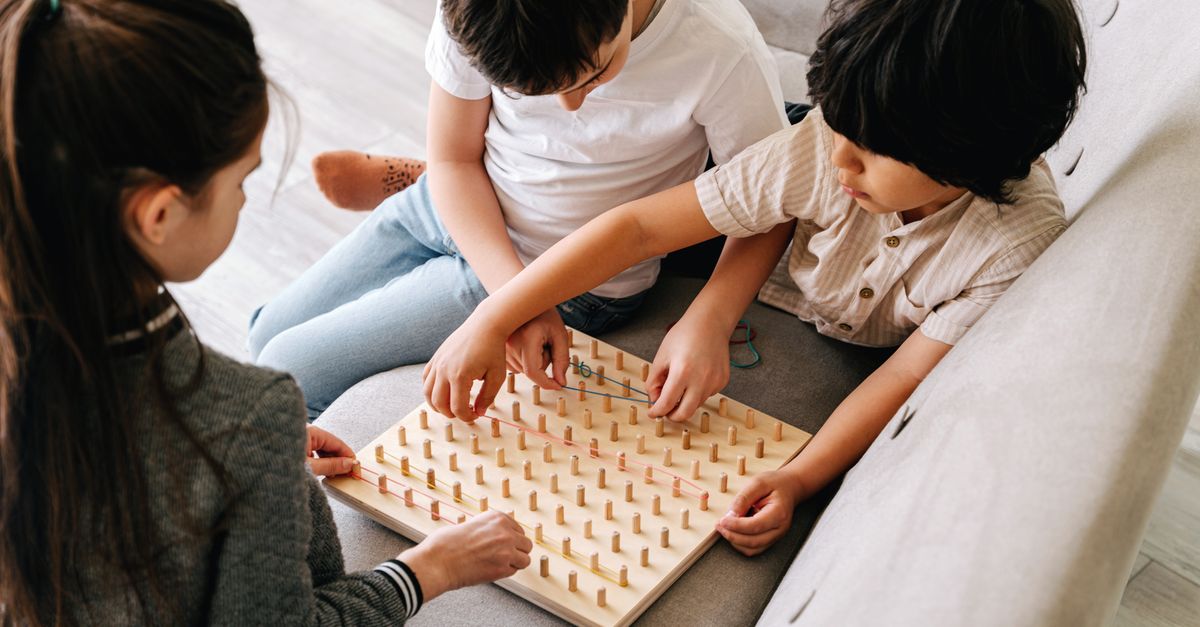
Best Quiet Logic Toys for Apartments
Low-noise logic toys for apartment play, quiet rooms, and families who need thinking practice without chaos.
Read more →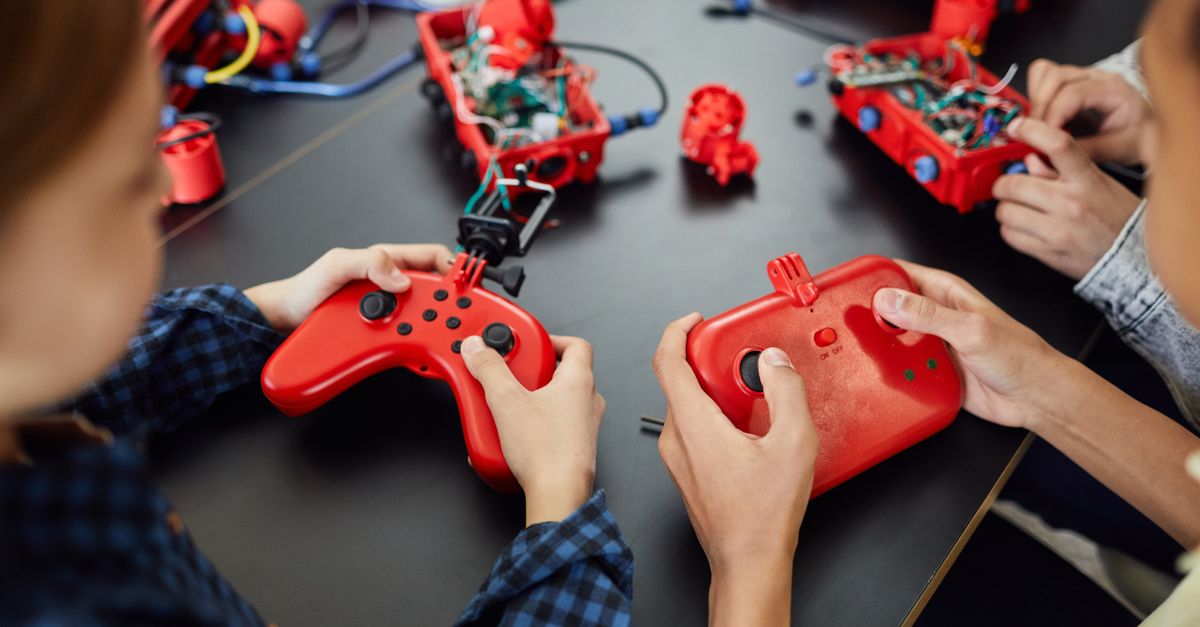
Monster Scale vs Mental Blox for Early Logic
A comparison for families choosing between early math comparison play and spatial logic challenges.
Read more →